Email Us
Car Diagnostic Tools FCA & SGW

FCA & SGW

North America - Security Gateway Module (SGW)

For newer vehicles, a new module called Security Gateway Module (SGW) was implemented by multiple vehicle manufacturers to limit "the ability of non-registered and non-authenticated users to perform intrusive diagnostics such as bi-directional controls." As a result, users are unable to directly clear DTCs or perform any bi-directional control tests (including actuation, relearn, and calibration) on vehicles equipped with SGW.


XTOOL users in North America can grant access to the SGW module to perform previously restricted diagnostic operations without requiring additional accessories. To do that, XTOOL users need to register their workshops with AutoAuth, a third-party authentication service. If you need SGW access for the following vehicle brands*, please register your information with AutoAuth. XTOOL does not provide or charge any fees for SGW access functionality.


AutoAuth accounts can only be used within designated regions (including the USA, Canada, and Mexico). Use of this feature outside the permitted regions is strictly prohibited and will result in the termination of AutoAuth access. XTOOL has released the necessary software in these regions for users who have an active AutoAuth subscription. Users with expired subscriptions can renew through their authorized XTOOL reseller to regain access to software updates.


*For now, XTOOL now supports unlocking SGW for the following vehicle brands: FCA (Fiat, Chrysler, Dodge, Jeep), Nissan (Infiniti). Last updated: 12/30/2025.

Steps to Access the SGW

Steps to Access the SGW
1
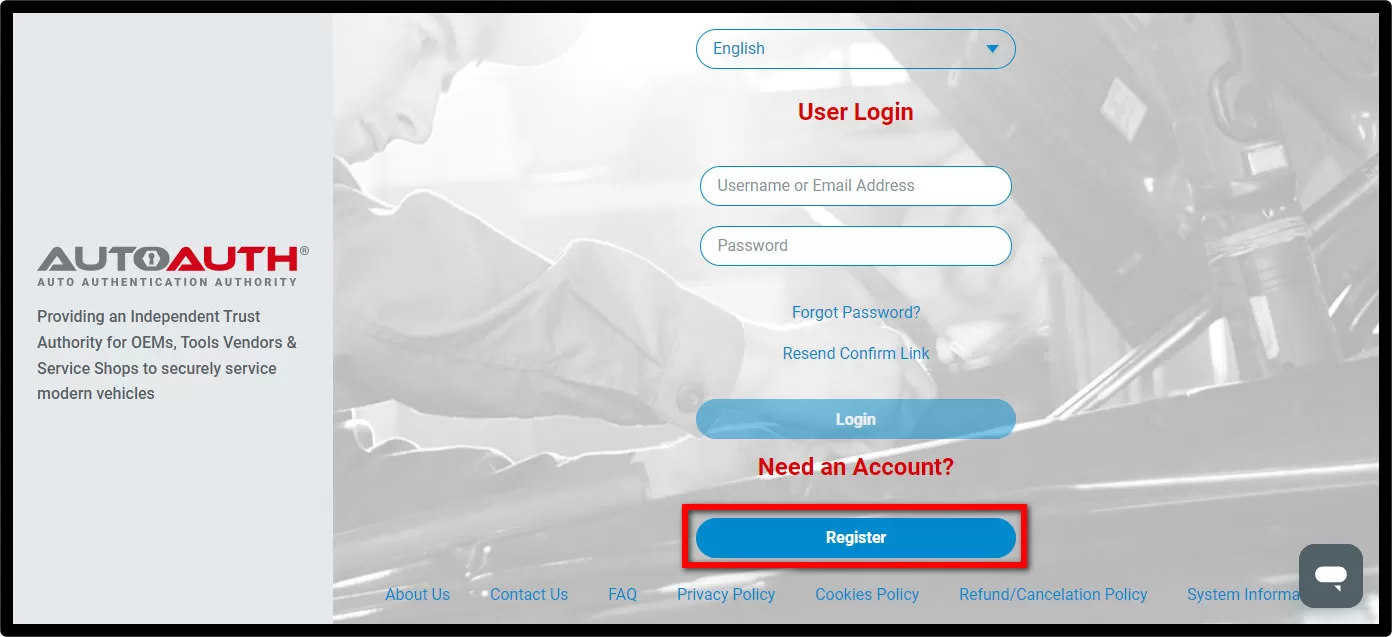
ACCOUNT REGISTRATION

account-registration.jpg

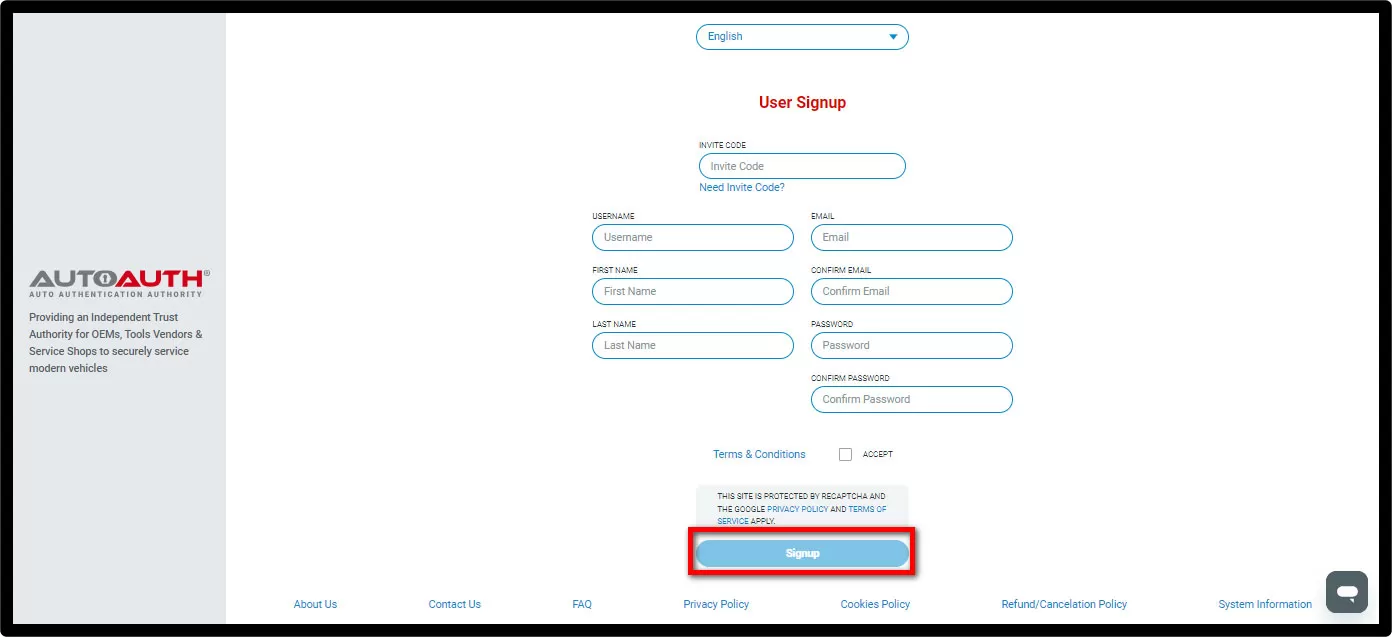
  • Complete and submit the User Signup

account-registration-use.jpg

  • An confirmation email will be sent to you to verify your email address.
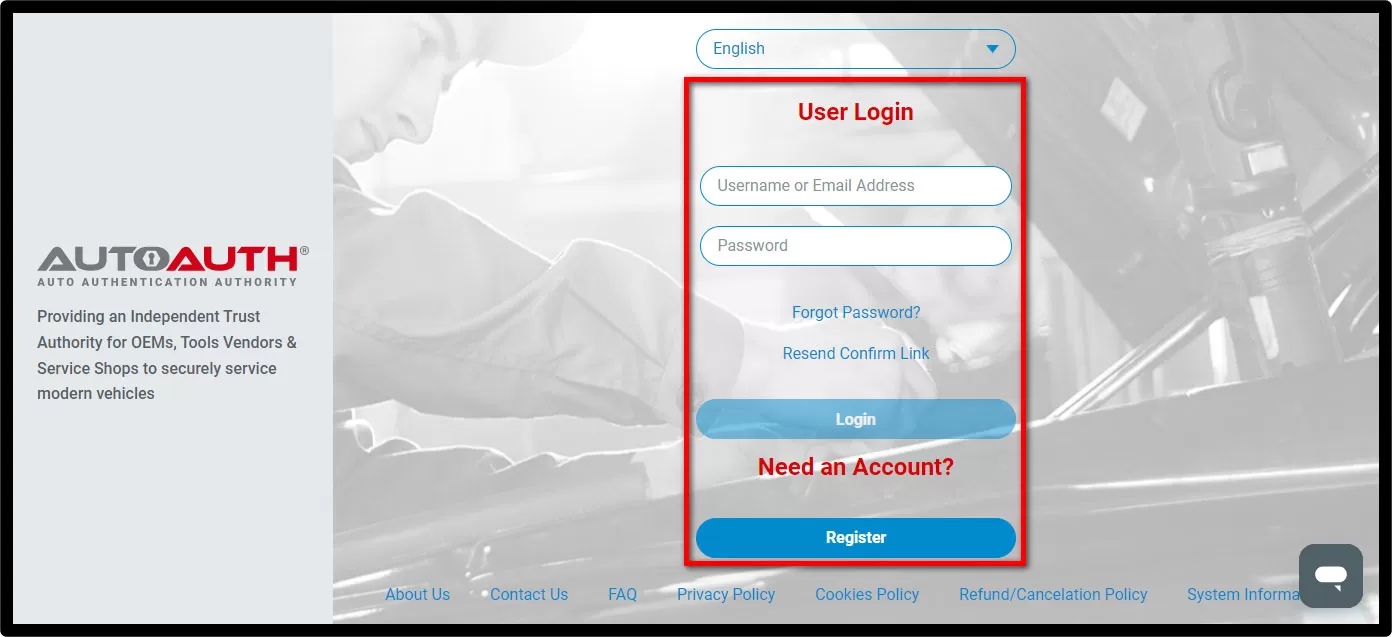
2
SET YOUR ACCOUNT

set-your-account.jpg

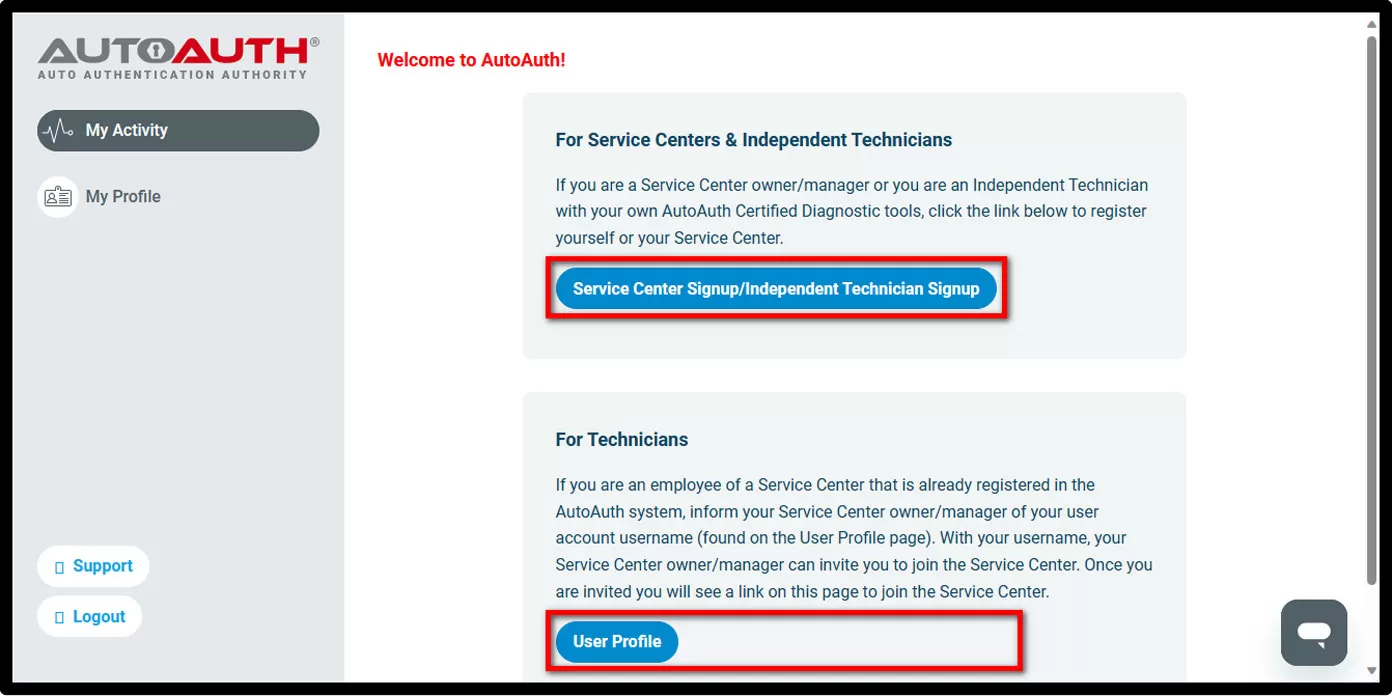
  • Register your Shop&Techs accounts on Autoauth.
    1) For Shop Owner:
    Select Service Center Signup / Independant Technician Signup to register for your shop and add techs as users to Shop Account
    2) For technicians:
    Select User Profile to create your account, and provide your username to the shop owner to be added to the Shop Account

set-your-account-use.jpg

  • An confirmation email will be sent to you to verify your email address.

3
ADD TOOL
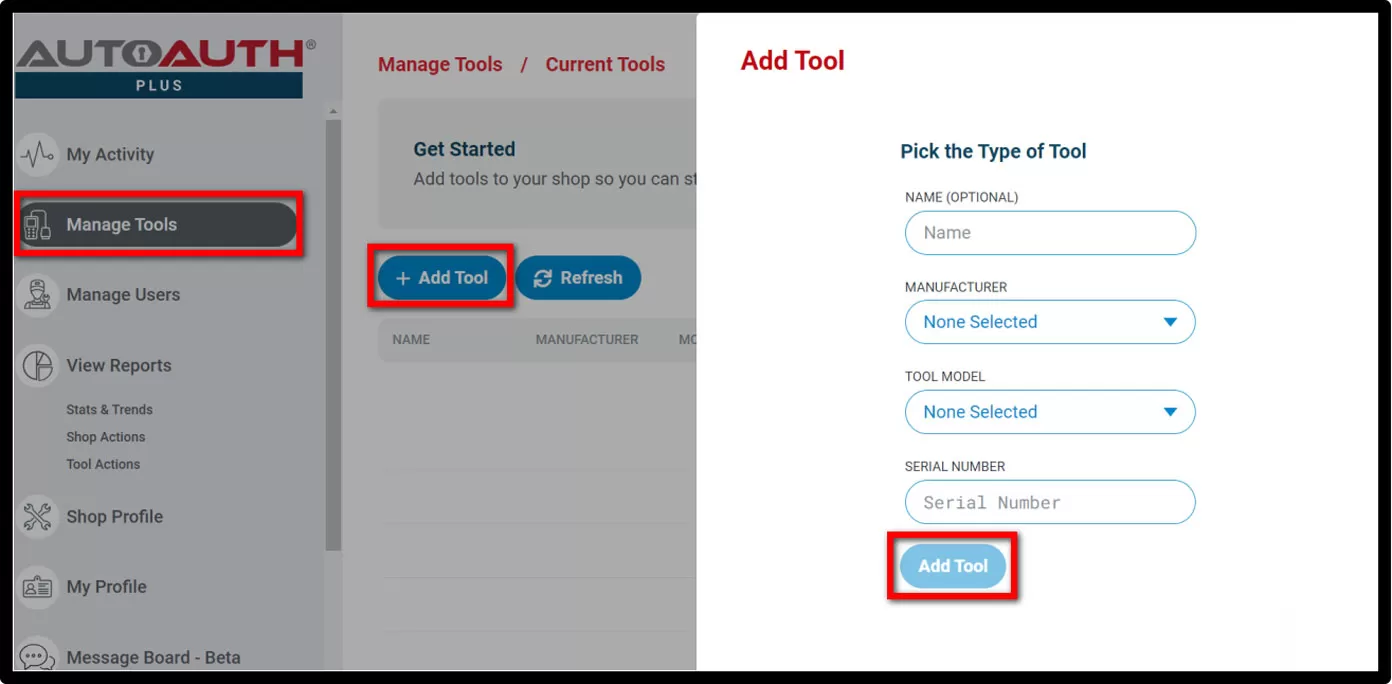
  • Select Manage Tools from the left menu >> select Add Tool, fill in the following:

add-tool.jpg

    1) Manufacturer - Select Xtooltech Co

    2) Tool Model - Select ALL MODELS

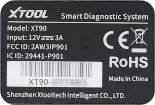
    3)Serial Number - Enter the serial number listed on the back of your diagnostic tool

add-tool-use.jpg

4
UPDATE SOFTWARE
  • Ensure the software update the latest version:
    1) Application: V 5.5.7 or newer
    2) Chrysler: V 10.0 or newer
If your device is not within the subscription period, please contact your dealer to renew
CONTACT FOR MORE HELP
Unlock the New Era of Automotive Diagnostic Solutions
XTOOL integrates Autodata’s professional, regularly updated repair database (covering diverse models) into select diagnostic tools, available globally except the US. Users get a 20% first-year discount, seamless "diagnosis-repair" workflows, boosting technicians’ efficiency and simplifying maintenance for ordinary owners.
Read More
Feb 06, 2026
Our annual ceremony celebrated 2025 achievements, honored team excellence, and united employees around a shared vision for continued growth. It was more than a year-end gathering and review—it set the benchmark and direction for the year ahead.
Read More
Jan 27, 2026
Contact Us